Time Challenge Hook: Set a Clock and Race It
Also called: Beat the clock, Speedrun opener, Countdown timer hook, X minutes to do Y
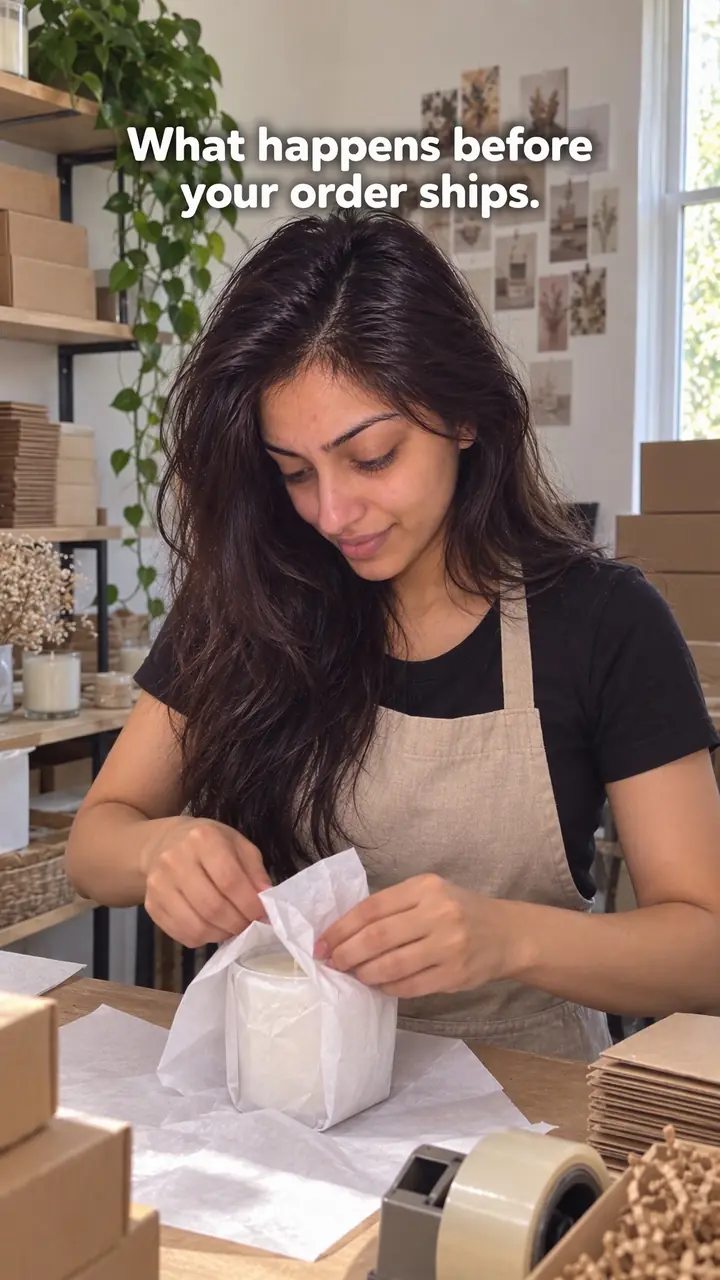
A small candle brand has a sale going live at noon and a bench covered in unpacked orders. Someone props a phone against a shelf, starts a timer on screen and says one line: 'Can we pack [number] orders before the sale ends?' Then they start packing. A viewer with no interest in candles still wants to know if they make it.
That is the time challenge hook. This guide shows you how to pick the task, set a fair limit, film the first seconds and show an honest result. You also get a copy-and-adapt template, examples for creators and DTC brands, variations, and the mistakes that break trust.
What is a time challenge hook?
A time challenge hook is a video opening that sets a clear task against a visible clock, such as packing [number] orders in [number] minutes, so viewers stay to see if you finish in time.
You name one task. You set one limit. Then you start. The task needs a clear finish, so viewers can judge progress at a glance. Packed boxes, finished candles or a full shelf all work. For example: a baker sets a timer and says 'Can I ice [number] cupcakes before this hits zero?' The tray of plain cupcakes tells you the goal and the clock tells you the stakes. Keep the clock honest. You can speed up the middle, but label it. Then show the result, whether you made it, missed it or finished with seconds left.
Time challenge hook, in pictures
Why it works
- A deadline can create tension
- A clear task and a visible countdown can make the outcome feel uncertain. Viewers may want to see whether the task is completed before time runs out, though a timer alone does not guarantee attention.
- Visible progress can make the task easier to follow
- Showing completed work beside what remains can help viewers understand progress without a long explanation. Keep time information visible at key points too, since an item count does not show how much time is left.
- A clear finish can give viewers a reason to stay
- An explicit deadline and completion rule can establish what the ending will resolve. Showing the actual result fulfills that promise, but the challenge duration does not tell viewers how long the edited video will be.
The formula
- Pick one task with a countable finish: orders, units, items, pages.
- Test it once, then set a limit where you could win or lose.
- Frame the timer, the unfinished task and your hands in the first shot.
- Say the challenge in one line and start the clock on camera.
- Stop at zero and show the final count next to the target.
Can I/we [task with a countable finish] in [number] minutes? [Starting state on screen]. Timer starts now.How to use it
- Pick a task you can count
Choose work viewers can count. Packing orders, making units, wrapping items or restocking a shelf all have a visible end. Avoid vague tasks like 'getting organised'. They give viewers no way to judge if you are winning.
- Set a limit that could go either way
Run the task once before filming if you can. Set a limit where success looks possible but not certain. Use your real amount and your real limit, not a round number picked for effect.
- Show the timer and the task first
Put three things in frame at once: the timer, the unfinished task and your hands or team ready to start. Add large on-screen text that states the challenge, so viewers grasp the race without sound.
- Start the clock on camera
Say the challenge in one short line. Press start where viewers can see it and begin working in the same moment. Do not explain your process, your day or your channel before the clock runs.
- Keep progress visible while you work
Cut pauses and repeated shots, or speed up repetitive sections, and label any speed change on screen. Keep the timer visible in every cut, or add a running count of items done.
- Show the result at zero
Stop at the limit, even mid-task. Show the final count next to the target and say plainly whether you made it. If you missed, show by how much. Never cut away before this shot.
Examples
| Niche | Line | Why it works |
|---|---|---|
| Home (candle brand) | Pouring [number] candles before lunch. Clock's running. | Lunch is a deadline everyone understands. The row of empty jars at the start becomes a full row at the end. |
| Beauty (skincare) | Can we fill and label [number] jars in [number] minutes? | Two steps per jar make the task harder than it looks. Unlabelled jars left on the bench show the gap clearly. |
| Fashion (apparel) | Folding and tagging today's [number] orders in one song. | The song is the timer, so the limit feels natural. Neat stacks give a clean final shot. |
| Food (bakery) | Can I ice [number] cupcakes before this timer hits zero? | Each finished cupcake is a visible unit. Viewers also judge the quality, not just the speed. |
| Accessories (jewellery) | Engraving [number] name tags before the courier gets here. | A real pickup is the deadline. The courier arriving ends the video without any staging. |
| Fitness (supplements or gear) | Can we restock the whole warehouse shelf in [number] minutes? | An empty shelf at the start makes progress obvious from across the room, even on a small screen. |
| Creator (community) | Replying to [number] comments in [number] minutes. Go. | It needs only a desk and a phone. The falling unread count shows progress on screen. |
| Creator (video editor) | Editing this whole video in [number] minutes. Starting now. | Viewers watch the raw timeline turn into a finished cut. The export bar is a clear finish line. |
| Creator (artist) | [Number] sketches in [number] minutes. No erasing. | The extra rule raises the risk of a messy result. Viewers stay to judge the final pages with you. |
Variations
- One-song limit
- Use a single track as the clock. Start the task on the first beat and stop when it ends. State the rule in on-screen text, since many viewers watch muted.
- Real-world deadline
- Race something that will happen anyway: a courier pickup, a shop opening, a sale going live. Film the deadline arriving. This feels less staged than a phone timer.
- Beat the last attempt
- Repeat a task you filmed before and show your previous count or time on screen at the start. Only use a past result you actually recorded.
- Head-to-head race
- Two people, same task, same amount, same limit. Use a split screen or cut between them. Show both final counts side by side at zero.
Common mistakes
- The timer disappears after the opening
- Fix → Keep the timer in frame, or add a large running count after each cut. Viewers should always know the time left and the work left.
- The task has no clear finish
- Fix → Name a countable finish, such as 'pack [number] orders' or 'fill this shelf', and show the empty or unfinished state first.
- The limit is far too easy or clearly impossible
- Fix → Test the task first. Adjust the amount or the minutes until the outcome feels uncertain. Uncertainty is what keeps people watching.
- You explain for ten seconds before starting
- Fix → Open on the timer and the task. Say one line, start the clock and move. Save background details for another video.
- You speed up footage and call it real time
- Fix → Label edits on screen, such as 'sped up' or 'middle cut'. Keep the stated limit and the final count accurate. Trust matters more than a tidy finish.
- You cut away before showing the result
- Fix → Film until the clock hits zero. Show the final count beside the target and state the result in words and text.
When not to use it
- Skip the race when working faster could compromise safety, required checks or product quality. Use Satisfying action (satisfying-action-hook) to show careful work, or Manufacturing process (manufacturing-process-hook) to explain production without a speed target.
- Skip it when you cannot define completion or communicate elapsed time honestly. Use Behind the scenes (behind-the-scenes-hook) to show the work without a timed claim, or Documentary (documentary-hook) to follow a real day.
- Skip it when the task or result cannot be shown without exposing customer details or confidential information. Use Extreme close-up (extreme-close-up-hook) to focus on a safe product detail instead.
- Skip it when the real purpose is to imply a product benefit that a short timed attempt cannot establish. Use Real-world test (real-world-test-hook) to report observed performance over a suitable period, with the test conditions and limitations made clear.
For brands
For DTC brands, this hook turns everyday work into proof of how your operation runs. Use real tasks from packing, making and restocking, and use real deadlines from your calendar: launches, sales, courier pickups. Keep the product in frame, but let the clock carry the video. Never stage a rush that puts staff or stock at risk.
- Launch-day packing: 'Can we pack [number] launch orders before the courier at [time]?' Film the order stack, the timer and the pickup. End on the last sealed box or the shortfall.
- Batch making: 'Making [number] units before lunch.' Show raw materials at the start and the finished count at the end. It shows care and scale without a sales claim.
- Sale restock: 'Restocking the bestseller shelf in one song.' Empty shelf first, full shelf last. Post it as the sale opens to show stock is ready.
- Gift-season wrapping: 'Can we gift-wrap [number] orders in [number] minutes?' Each wrapped parcel shows your packaging to people who have not ordered yet.
- Team versus founder: two people pack the same number of orders against one clock. Show both counts at zero. It introduces your team in a way people watch to the end.
Pairs well with
- Challenge
The challenge hook adds real risk of failure; the time challenge adds the clock. Together they give viewers two questions: can you do it, and can you do it in time?
- Behind the scenes
Behind the scenes shows the workspace people never see. The time challenge gives that setting a goal and an ending, so a tour becomes a race.
- Split screen
Use a split screen for head-to-head races or to keep the timer and the work in view at once.
- Jump cut
Jump cuts remove dead moments in the middle of a long task while the on-screen timer keeps the race honest.
FAQs
- How long should the timer be for a time challenge hook?
- Pick a limit that makes the outcome uncertain. Test the task once off camera. If you finish with lots of time left, shorten the limit or raise the amount. If you get nowhere near done, do the opposite. The viewer should think you might make it, and might not.
- Do you have to film the whole challenge in real time?
- No. You can compress the middle, cut dead moments or speed up repetitive parts. Label the edit on screen, for example 'sped up' or 'time cut'. Keep the starting point, the stated limit and the final result honest. Never claim edited footage ran in real time.
- What should you do if you fail the challenge?
- Show the miss. Say how far you got and what slowed you down. A near miss still gives viewers the ending they waited for. Ending early, hiding the clock or pretending you finished breaks trust and weakens your next video.
- Can you use a time challenge hook without a product?
- Yes. The task just needs a visible finish. You can tidy a desk, reply to [number] comments, plan a week of posts or edit one video before a set time. Keep the clock, the task and the result on screen.
- Does a time challenge hook work on both TikTok and Reels?
- Yes, and you can use the same opening on both. Put the timer and the task in the first frame, and keep text away from the edges where platform buttons sit. Say the challenge out loud early, and make the on-screen text large enough to read without sound.
- Do you need to show your face in a time challenge video?
- No, but a person helps. Hands working, a team moving or a face reacting to the clock gives the timer context. If no one can be on camera, keep the task moving in frame and update the count often, so the shot never looks still.
Key takeaways
- State the task, the amount and the time limit in the first frame.
- Pick a limit where you might succeed and might fail.
- Keep the timer or a running count visible throughout.
- Label sped-up or cut footage. Never pass it off as real time.
- Always show the final result, even when you miss.