Sound Cue Hook: A Familiar Sound That Stops the Scroll
Also called: Audio trigger, SFX hook, Ding/swoosh opener, Sonic branding hook
A small cold brew brand films two openings for the same ad. In one, the founder says hello and introduces the product. In the other, there is no talking. A hand cracks a can open close to the mic, and the fizz fills the first second. Which one would make you look up from your feed? The second one asks nothing of you. The sound gets your attention before you decide anything.
That opening is a sound cue hook. This guide covers what it is, why it works, and a formula you can copy. You also get examples across products and creator niches, the mistakes that make a cue feel cheap, and when to pick a different hook.
What is a sound cue hook?
A sound cue hook is one short, familiar sound, like a can opening, a notification or a crunch, played at the exact moment of an on-screen action. It stops the viewer scrolling before any words are needed.
Think of the first second of your video. You do not start with an introduction. You start with an action that makes a clear sound. You open the can. You bite the chip. You snap the case shut. The sound lands at the same moment as the movement. That timing is the point. A music track sits under your video. A sound cue is part of the action. It belongs to the object in your hands. Remove it and the moment feels flat. Keep it and viewers know what happened without reading text or hearing you speak.
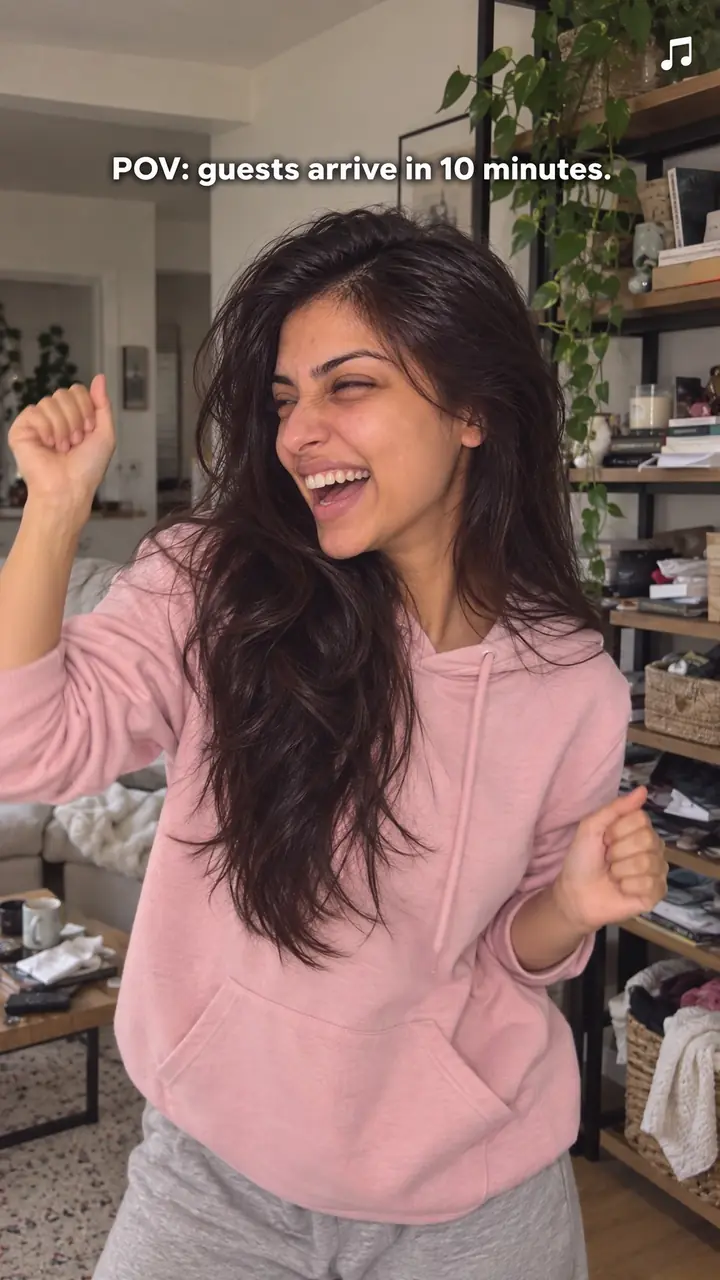
Sound cue hook, in pictures
Why it works
- Familiarity can help recognition
- A recognisable click, crack or crunch can help viewers identify an action without an explanation. Familiarity varies, and recognition does not guarantee that someone will keep watching.
- Matching sound and action can clarify the moment
- When a short cue lines up with its visible source, the opening can feel easier to follow. Clear timing helps connect what viewers hear with what they see.
- A distinct cue can draw attention
- A brief product sound may stand out from surrounding audio, depending on the viewing context. Clarity matters more than startling volume, and the audible effect is unavailable when viewers watch on mute.
The formula
- Pick one everyday action your viewer could recognise with their eyes closed.
- Film it close to the lens and the mic, in a quiet room.
- Make the sound land inside the first second, with nothing over it.
- Hold one short beat of silence so the cue registers.
- Cut to the payoff: what is inside, the result, or your first spoken line.
[0.0s] Action starts in close view → [under 1s] the [crack / click / crunch / ping] lands, clean and alone → [beat] optional text: "[short line that sets up the payoff]" → [payoff] show [the inside / the result / you speaking].How to use it
- Choose one recognisable sound
List the sounds your topic makes in normal use: opening, pouring, biting, typing, closing, spraying. Pick the one a viewer would know with eyes closed. One sound only. Two or three at once turn into noise.
- Get close before you record
Bring the action near the lens and the mic. A phone mic works if you get close and film in a quiet room. Turn off music, fans and background chatter. Test the distance twice before the real take.
- Put the sound at the very start
Do not open with a greeting or your logo. Start recording a fraction before the action so the sound has a clean start. The crack, click or crunch should arrive in the first second. Trim any dead air before it.
- Sync the sound to the movement
Match picture and sound to the exact frame. If the click lands late, viewers feel something is off, even if they cannot say why. Adjust audio and video together until they feel like one event.
- Leave a short beat after it
Keep your first line and any music out of the way for that first beat. Let the cue land on its own. Then speak, bring music in low, or cut to the next shot. The pause makes the sound feel bigger without raising the volume.
- Check it muted and unmuted
Watch the first two seconds on mute, then with sound. On mute, the action should still read clearly. With sound, it should feel sharper. If either version confuses you, reshoot closer or choose a simpler action.
Examples
| Niche | Line | Why it works |
|---|---|---|
| Drinks (DTC) | Close on a can. The tab cracks, the fizz hisses. Text: "Cold since [time]." | Everyone knows this sound. The fizz suggests freshness before you say a word. |
| Snacks (DTC) | One bite of a chip, right by the mic. Cut to the open bag on the counter. | A single crunch shows texture better than any pack shot. One bite keeps it pleasant. |
| Skincare (DTC) | A jar lid twists, then pops free. Text: "First open." | The pop hints that the jar is sealed and new. Use the real jar so the sound stays honest. |
| Fashion accessories (DTC) | A bag's magnetic clasp snaps shut on a packed bag. Text: "Everything I carry, [number] items." | The snap says solid and secure. It leads straight into a what-fits-inside video. |
| Phone accessories (DTC) | A phone drops into a magnetic case with a firm click. No text for the first beat. | The click suggests a snug fit. A small product detail becomes the opening event. |
| Home fragrance (DTC) | A match strikes and flares in close view, then lights a candle wick. | The strike is short and instantly familiar. It sets a calm mood that fits a home routine. |
| Fitness gear (DTC) | A dumbbell is set down on a rubber mat with a dull thud. Text: "Set [number] of [number]." | The thud signals effort and weight. It puts the viewer in the middle of a workout. |
| Home cook creator | Garlic hits hot oil and sizzles. Text: "Dinner in [time]." | The sizzle means cooking has started. Viewers stay to see what the dish becomes. |
| Productivity creator | Fast typing, then one firm press of the Enter key. Text: "[Number] words before [time]." | Typing signals work. The final press marks a finished task worth showing. |
| Storytime creator | A notification ping, then a hand flips the phone over. Text: "The message I did not expect." | The ping is part of daily life. It raises a simple question and leads into your story. |
Variations
- Close-mic product sound
- Record the product's own sound as close as you can without distortion. Best for food, drink, beauty and tools, where texture or build quality is the selling point.
- Everyday device cue
- Open on a phone or computer sound, such as a ping, tap or shutter click, then show the screen or hand that made it. Suits tutorials, apps and story openings.
- Far, then close
- Do the same action twice: once at normal distance, then right at the mic. The second, crisper sound feels like a payoff and works for before-and-after or quality comparisons.
- Sound plus one word
- Let the cue land, then put a single word on screen that names the feeling, such as "fresh" or "done". Helps viewers who arrive on mute.
Common mistakes
- Adding a sound effect that does not match the action
- Fix → Use the real sound from the real action wherever you can. If you add a file later, match it to the frame and keep it short.
- Making the sound too loud
- Fix → Lower the volume and shorten it. Record closer instead of turning it up. A crisp sound at normal level holds attention better.
- Burying the cue after an intro
- Fix → Trim the start so the sound lands in the first second. Cut greetings, logos and quiet lead-ins.
- Talking over the cue
- Fix → Hold speech and music back for the first beat. Bring them in once the cue has landed.
- Stacking several effects at once
- Fix → Keep the single clearest sound and remove the rest. One clean click tells the story faster than a pile of effects.
- Using a downloaded sound without checking rights
- Fix → Check the licence on any downloaded file, especially for paid ads. Sounds you record yourself avoid the problem.
When not to use it
- If there is no recognisable sound that genuinely matches the opening action, avoid forcing an unrelated effect. Use Extreme close-up (extreme-close-up-hook) when a small visual detail is the stronger opening.
- If the sound is uncomfortable or cannot be recorded clearly at a reasonable volume, consider Silent action (silent-action-hook) when the unexplained movement itself gives viewers a reason to watch.
- If viewers need a clear outcome before the demonstration makes sense, use How-to promise (how-to-promise-hook) to state the result and method, then use the sound cue later.
- If the opening depends on a quiet wait before the sound arrives, use Silence then sound (silence-then-sound-hook). That structure makes the contrast, rather than the immediate cue, the main hook.
For brands
If you sell a physical product, it already makes sounds in normal use. You do not need to invent them. You need to record them well and put them first. Let the sound show freshness, texture or build quality, then make your claim. Shoot a library of clean product sounds once, and you can reuse them across organic posts and paid ads.
- Film the seal breaking on your pack in one take, then show the product inside. The unbroken take keeps the sound believable.
- Use the click of your lid, clasp or closure as the first frame of every product ad, then cut to what it protects.
- Pour, pump or spray your product near the mic so viewers hear the amount and texture before you list any benefits.
- Test two openings for the same ad: one on a spoken line, one on your product sound. Keep everything after the first [number] seconds identical so you can compare fairly.
- Ask customers who film unboxings to keep the tape tear and lid lift unedited, and get permission before you reuse the clip.
Pairs well with
- Extreme close-up
The macro shot shows exactly what makes the sound. The picture proves the sound is real, and the sound makes the detail feel sharper.
- Sensory
Once the cue lands, a sensory follow-up keeps the focus on how the product sounds and feels in use, building a fuller product moment.
- Silence then sound
Open on a second of quiet, then drop your cue. The contrast makes a small click or crunch feel much bigger.
- Packaging experience
Unboxings are full of natural cues: tape, tissue, a lid lifting. Use one as the opening sound, then let the unboxing carry the video.
FAQs
- What are the trending sound effects on TikTok?
- Trends change week to week, so check inside the app rather than relying on a list. Open the sound library and browse popular sounds for your region. Note the difference, though. A trending sound is audio many creators reuse, often a song clip or spoken line. A sound cue is the real sound of your own action, such as a pour, snap or zip. You can use both, but keep the cue clear and the music low.
- How to create a hook for reels?
- Start with the action, not the explanation. Pick one action viewers can recognise by sound alone and film it close to the mic. Place the sound in the first second. Add short on-screen text only if the action needs context. Then deliver the payoff you implied, such as the taste, the result or the inside view.
- Where can I find funny audio for reels?
- Start with the audio libraries inside TikTok and Instagram. Search plain terms such as pop, click, pour, crunch or notification. Recording your own sound is often clearer and safer. If you download a file from elsewhere, check the licence before using it in an ad.
- What audio is trending on reels?
- Open the Reels editor and browse the audio section. An upward arrow next to a track marks it as trending, and sounds you see repeatedly in your niche are useful clues. For this hook, trending audio is optional. Your own crisp action sound matters more. If you add a trending track, lower it so it does not cover the cue.
- How do I find trending audio for reels?
- Search your niche keywords on TikTok or Reels and watch recent videos. Save the audio from posts that fit your topic, and tap the sound name to see how others use it. Do not force a trend onto an action it does not match. A poor match weakens your cue.
- Does a sound cue hook work if viewers watch on mute?
- Yes, if you give it a visual partner. Many people scroll with sound off. Show the action in close view at the moment the sound lands, and add a short caption if needed. The opening then makes sense on mute and gets stronger with sound on.
Key takeaways
- Use one familiar sound, timed exactly to one visible action.
- Record close to the mic in a quiet space. Closeness beats volume.
- Land the sound in the first second, with no speech over it.
- Pair the cue with a clear close view so the opening works on mute.
- Follow the sound quickly with the payoff. Do not leave viewers waiting.